
Free ATS Resume Builder: Create an ATS-Friendly Resume Online for Free
Learn what an ATS resume is , why its is important, and how to create and ATS-friendly resume for free follow this guide with tips, example, and a step by step process.
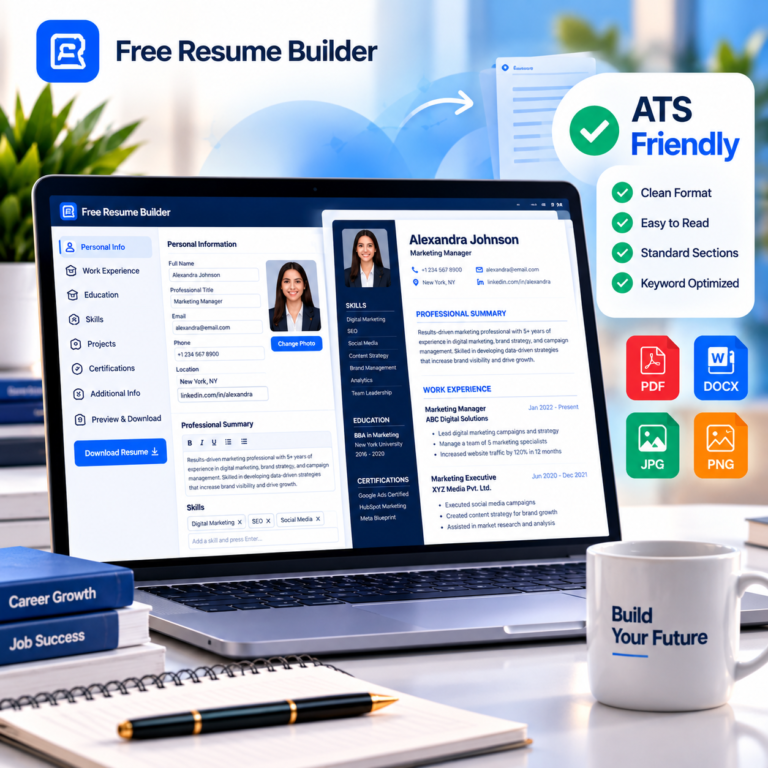
Creating a professional resume is an important step in any job search. But having a good-looking resume is not always enough. Many employers use Applicant Tracking Systems (ATS) to help organize and screen applications before recruiters review them. That is why an ATS-friendly resume is important. With a free ATS resume builder, you can create a professional resume with a clean structure, readable formatting, relevant sections, and a layout designed to be easier for applicant tracking systems to process.
In this guide, you’ll learn what an ATS is, what makes a resume ATS-friendly, how to create one for free, and which mistakes you should avoid.
Ready to create your resume?
Choose a professional template, add your details and download your ATS-Friendly resume for free
100% Free
No Signup Required
ATS Friendly
Creating a professional resume is an important step in any job search. But having a good-looking resume is not always enough. Many employers use Applicant Tracking Systems (ATS) to help organize and screen applications before recruiters review them. That is why an ATS-friendly resume is important. With a free ATS resume builder, you can create a professional resume with a clean structure, readable formatting, relevant sections, and a layout designed to be easier for applicant tracking systems to process.
In this guide, you’ll learn what an ATS is, what makes a resume ATS-friendly, how to create one for free, and which mistakes you should avoid.
What Is an ATS Resume?
ATS stands for Applicant Tracking System. Companies use these software systems to organize and manage job applications.
Depending on the system and how it is configured, an ATS may process information from a resume such as:
-
Contact information
-
Work experience
-
Education
-
Skills
-
Certifications
-
Job titles
-
Keywords
An ATS-friendly resume uses a clear structure and readable formatting so that important information can be processed more reliably.
An ATS-friendly resume is still written for people. The goal is not simply to add keywords, but to present your qualifications clearly and honestly.
What Makes a Resume ATS-Friendly?
A good ATS-friendly resume usually has a straightforward structure.
1. Use Clear Section Headings
Use familiar headings such as:
-
Professional Summary
-
Work Experience
-
Education
-
Skills
-
Certifications
-
Projects
Clear headings make the document easier to scan.
2. Keep the Layout Simple
A clean layout is generally easier to process than a resume filled with unnecessary decorative elements.
Avoid making important information dependent on images or graphics.
3. Use Readable Fonts
Choose a professional, readable font and maintain consistent formatting throughout the document.
Examples include:
-
Arial
-
Calibri
-
Roboto
-
Inter
-
Open Sans
4. Include Relevant Keywords
Read the job description carefully and identify the skills, qualifications, tools, and terminology that genuinely match your experience.
For example, if a job description specifically requires:
Project Management, Excel, SQL and Data Analysis
and you genuinely have those skills, make sure they are clearly represented in your resume.
Never add skills you do not actually have simply to match keywords.
5. Keep Important Information in Text
Important information such as job titles, companies, dates and skills should be represented as actual text rather than being embedded inside images.
How to Create an ATS-Friendly Resume for Free
Creating an ATS-friendly resume does not have to be complicated.
Step 1: Choose an ATS-Friendly Resume Template
Start with a clean professional template.
For ATS-focused applications, choose a layout that prioritizes readable text and clear sections over excessive visual decoration.
Step 2: Add Your Contact Information
Include your:
Full name
Professional title
Phone number
Email address
Location
LinkedIn profile
Portfolio or website when relevant
Use an email address that looks professional.
Step 3: Write a Professional Summary
Your summary should quickly explain who you are, your main strengths and what type of role you are seeking.
Keep it concise and relevant to the position.
Step 4: Add Your Work Experience
For each relevant position, include:
Job title
Company name
Location
Employment dates
Key responsibilities
Achievements
Focus on results rather than simply listing duties.
For example, instead of only writing:
“Responsible for managing social media.”
you could write:
“Managed social media campaigns and improved audience engagement through targeted content strategies.”
Use measurable results when you have accurate figures.
Step 5: Add Your Education
Include:
Degree or qualification
Institution
Location
Dates
Relevant academic information
Fresh graduates can give their education section more prominence when they have limited professional experience.
Step 6: Add Relevant Skills
Create a clear skills section.
Examples:
Microsoft Excel
Python
JavaScript
Project Management
Digital Marketing
Data Analysis
Communication
Only include skills that are relevant and that you genuinely possess.
Step 7: Add Certifications and Projects
Certifications and projects can be especially useful for students, freshers and career changers.
Include the certification name, issuing organization and date where appropriate.
For projects, mention:
Project name
Your role
Technologies or tools
What you accomplished
Step 8: Review Your Resume
Before downloading your resume, check:
Spelling
Dates
Contact information
Formatting
Section headings
Job-specific keywords
Consistency
Step 9: Download Your Resume
Once your resume is complete, download it in the format you need.
For most job applications, PDF is commonly used when the employer or application system does not specify another format.
Free ATS Resume Builder vs Traditional Resume Maker
A traditional resume maker may focus primarily on visual design.
An ATS-focused resume builder should consider both:
Professional appearance + readable structure
A useful resume builder should make it easy to:
Choose an appropriate template
Add professional sections
Edit information
Preview the resume
Maintain consistent formatting
Create a downloadable document
The right choice depends on the job, employer requirements and application method.
Can Freshers Create an ATS-Friendly Resume?
Yes.
Freshers often have less professional experience, but they can still create a strong resume by focusing on relevant qualifications.
A fresher resume can include:
Education
Internships
Academic projects
Certifications
Technical skills
Relevant coursework
Volunteer experience
Achievements
Extracurricular activities
Do not add unnecessary information simply to make the resume longer.
A focused one-page resume can be appropriate for many entry-level candidates.
ATS Resume Format for Freshers
A simple fresher resume can follow this structure:
Name and Contact Information
Professional Summary or Objective
Education
Skills
Projects
Internships or Experience
Certifications
Achievements
The exact order can vary depending on your background and the position.
Common ATS Resume Mistakes
Avoid these common problems:
Using Too Many Graphics
Decorative graphics can make a resume visually attractive but may not always be useful for ATS processing.
Putting Important Information Inside Images
Important text should remain actual text.
Using Unusual Section Names
Instead of creative headings that may be unclear, use familiar headings such as “Work Experience” and “Education.”
Keyword Stuffing
Do not repeat the same keyword unnaturally.
Use relevant terminology naturally throughout your resume.
Adding False Information
Never add skills, qualifications or experience that you do not have.
Ignoring the Job Description
A generic resume may not communicate the most relevant qualifications for a specific role.
Customize your resume when appropriate.
What Should an ATS-Friendly Resume Look Like?
An ATS-friendly resume should generally have:
Clear sections
Consistent formatting
Readable typography
Relevant keywords
Professional language
Actual text instead of image-based information
Logical work experience and education sections
Easy-to-follow structure
It does not need to look boring.
You can still create a professional and attractive resume while keeping the structure simple and readable.
Why Use a Free ATS Resume Builder?
Building a resume manually can take time, especially when you need to adjust spacing, headings, dates and formatting.
A resume builder can simplify the process by providing:
Ready-made professional layouts
Structured resume sections
Live editing
Consistent formatting
Template options
Easy editing
Download options
The biggest benefit is saving time while maintaining a consistent professional layout.
Create Your ATS-Friendly Resume for Free
Ready to build your resume?
Use Free Resume Builder to create a professional resume without complicated formatting.
Choose a suitable template, enter your information, review your resume and download the finished document.
No complicated setup. No unnecessary steps. Just create your resume and get ready to apply.
Frequently Asked Questions
Find clear answers to common questions about ATS-friendly resumes, resume formats, keywords and creating a professional resume for free.
An ATS-friendly resume uses a clear, readable structure and standard text-based sections that can be easier for applicant tracking systems to process.
Yes. A free ATS resume builder can help you create a professionally structured resume without paying for a basic resume-building experience.
No. Students and freshers can also use ATS-friendly resume formats to present their education, skills, projects, internships and other relevant qualifications clearly.
There is no single format that is best for every job. A clear, readable and appropriately structured resume is generally a sensible approach.
Use relevant keywords from the job description when they accurately describe your skills, qualifications or experience. Avoid keyword stuffing and focus on natural, relevant language.
Yes. Freshers can highlight education, projects, internships, certifications, skills and achievements to create a strong ATS-friendly resume.
Whether to include a photo depends on the country, industry and employer. Follow the requirements and norms relevant to the position you are applying for.
Ready to Create Your Resume?
Build a professional, ATS-friendly resume with our easy-to-use free resume builder.